Creating a productive home office environment is essential for anyone working remotely or managing tasks from home. A well-designed workspace can increase focus, reduce stress, and improve overall work satisfaction. Whether you have a dedicated room or just a small corner to work in, there are steps you can take to make your home office a place where productivity thrives.
Choose the Right Space
Find a Quiet Spot
Selecting a quiet area is key to minimizing distractions. If possible, choose a room with a door you can close to create a physical boundary between work and home life.
Consider Natural Light
Natural light helps reduce eye strain and boosts mood. Position your desk near a window to enjoy daylight, but be mindful of glare on your screen.
Invest in Comfortable Furniture
Ergonomic Chair
A supportive, adjustable chair helps prevent back pain and encourages good posture, allowing you to work comfortably for longer periods.
Functional Desk
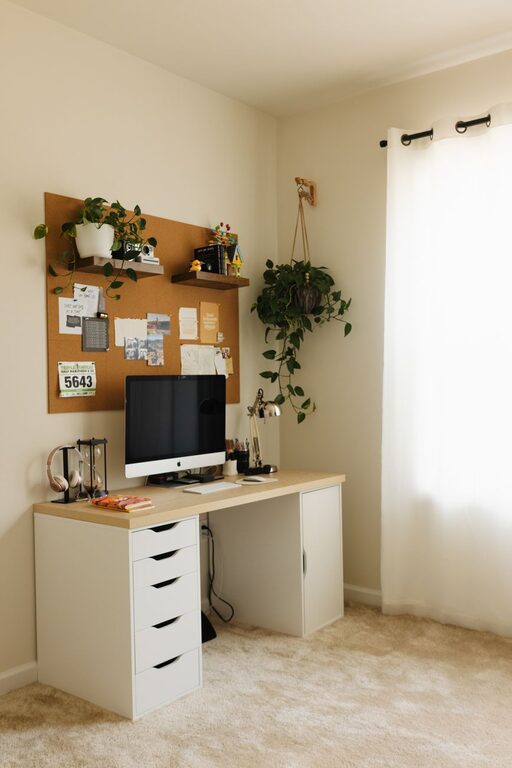
Choose a desk that fits your space and work needs. It should be large enough to hold your computer, documents, and other essentials without clutter.
Organize Your Workspace
Declutter Regularly
Keep your desk neat by only having necessary items within reach. Use drawers or organizers to store supplies and reduce visual distractions.
Use Storage Solutions
Shelves, filing cabinets, or baskets can help keep documents and office supplies tidy and accessible.
Set Up Technology Efficiently
Reliable Internet Connection
A strong, stable internet connection is critical for video calls and online work. Consider upgrading your router or adding a Wi-Fi extender if needed.
Quality Equipment
Invest in a good computer, monitor, keyboard, and mouse. Using equipment that feels comfortable and suits your tasks can improve efficiency.
Cable Management
Use clips or sleeves to organize cables and reduce clutter. This also helps prevent accidents and makes cleaning easier.
Optimize Lighting
Layered Lighting
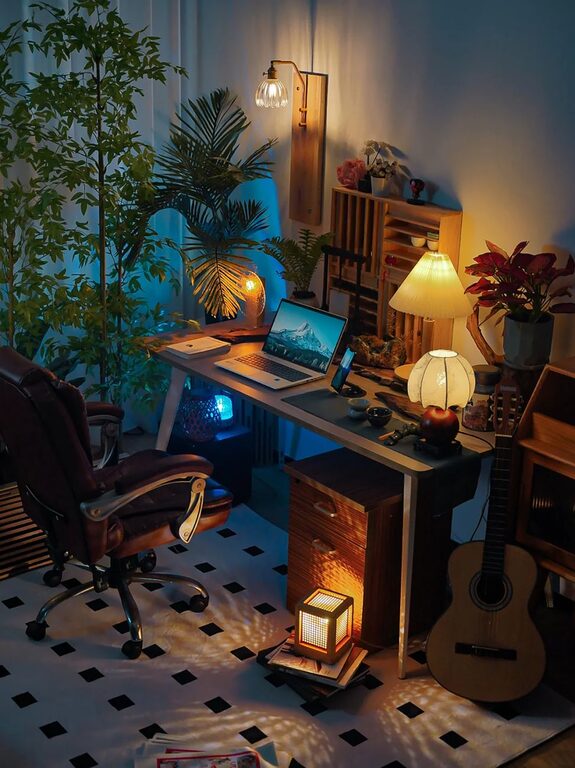
Combine ambient lighting with task lighting like desk lamps. Adjustable lighting helps you avoid glare and strains on your eyes at different times of the day.
Proper Screen Position
Position your monitor to avoid reflections and eye strain. The top of the screen should be at or slightly below eye level.
Personalize Your Space
Add Plants
Plants not only brighten up your office but also improve air quality and can reduce stress.
Display Motivational Items
Photos, artwork, or quotes that inspire you can create a positive environment while reflecting your personality.
Establish Boundaries and Routine
Set Work Hours
Define clear start and end times to create a healthy work-life balance. Communicate these hours with others in your household.
Take Regular Breaks
Use breaks to stretch, move around, and rest your eyes. Short breaks boost productivity and prevent burnout.
Minimize Distractions
Turn off notifications, use noise-canceling headphones, or create ‘do not disturb’ signals to maintain focus.
Enhance Comfort and Well-being
Maintain Good Air Quality
Keep windows open when possible or use an air purifier to ensure fresh air flow while working.
Control Temperature
Adjust heating or cooling to a comfortable level, as temperature can impact concentration and energy.
Stay Hydrated and Nourished
Keep water nearby and have healthy snacks available to maintain energy throughout the day.
Keep Improving Your Space
Review and Adjust
Periodically assess your workspace and productivity habits. Make changes like rearranging furniture or updating technology to suit your evolving needs.
Seek Feedback
If you share your home office with others or work collaboratively, ask for input on improvements to create a comfortable environment for everyone.
—
Creating a productive home office is about combining practical elements with personal touches. By carefully choosing your space, setting up ergonomic furniture, organizing thoughtfully, and maintaining boundaries, you’ll cultivate an environment that supports your best work every day. Remember, even small changes can make a big difference in how you feel and perform at home.